
Bosch Display Behaviour After Tuning:
Published in 01.05.2026Why Your Speed and Mileage Values May Look Different
After unlocking a Bosch e-bike, one of the most common questions is: “Why does my display no longer show the exact real speed?”
This is especially important for riders using Bosch BES2 systems, Bosch Smart System bikes, or tuning solutions such as the EBT Unlock Key, EBTsmart Unlock Key or EBTsmart Unlock Key Switch. Depending on the Bosch system generation and the selected tuning level, the displayed speed and distance values can behave differently.
This article explains the most important display effects after tuning, why they occur, and why they are usually not a defect.
1. Why Display Behaviour Matters After Bosch Tuning
Bosch e-bike systems calculate motor support based on speed signals, system limits and internal control logic. When a tuning solution changes how far the motor supports beyond the original 25 km/h limit, the system may no longer display every value exactly as before.
In practice, this can affect:
- displayed speed
- trip distance
- total mileage
- values shown in the Bosch Flow App
- ride statistics and average speed
The key point is simple: different Bosch systems behave differently after tuning. A classic Bosch BES2 bike does not behave the same way as a Bosch Smart System bike.
2. Bosch BES2: Why the Display Often Shows Half Speed
On many Bosch BES2 systems, especially Bosch Gen2, Gen3 and classic Bosch Gen4 systems, the display may show approximately half of the real riding speed after unlocking.
Example:
| Real Speed | Displayed Speed |
|---|---|
| 30 km/h | approx. 15 km/h |
| 40 km/h | approx. 20 km/h |
| 45 km/h | approx. 22–23 km/h |
This half-speed display behaviour is a known effect on many BES2 setups. It does not necessarily mean that the tuning process failed. It simply means that the system receives modified speed information in order to allow motor support beyond the original limit.
On Bosch BES2 systems, half-speed display values after tuning are usually normal. The bike can ride faster than the displayed value suggests.
For compatible Bosch Gen1 to Gen4 BES2 bikes, the relevant product is the EBT Unlock Key.
3. Bosch Smart System: 32 km/h and 45 km/h Are Not the Same Display Logic
Bosch Smart System bikes use a different electronic platform. This means their tuning and display behaviour also differs from classic BES2 systems.
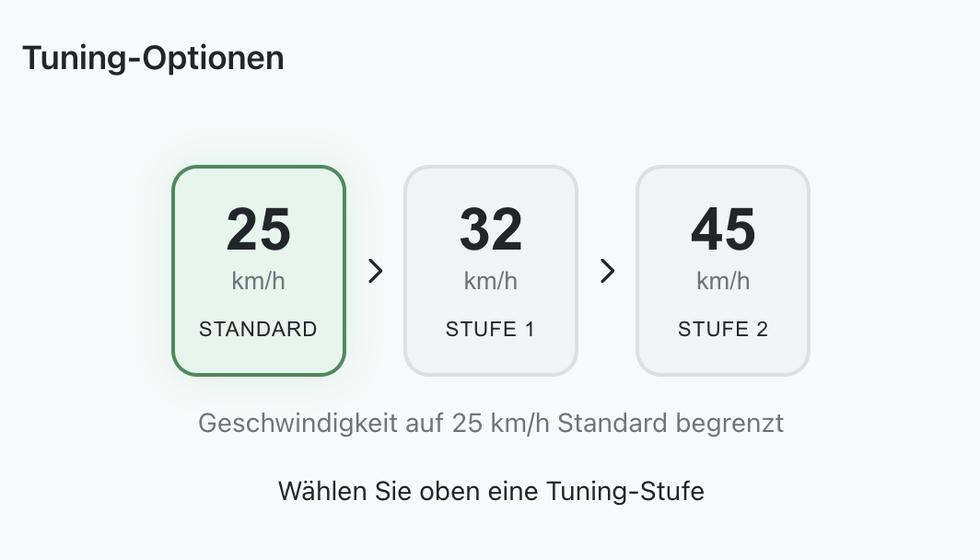
With the Bosch Smart System, there are usually two important tuning levels:
- Standard: original 25 km/h support limit
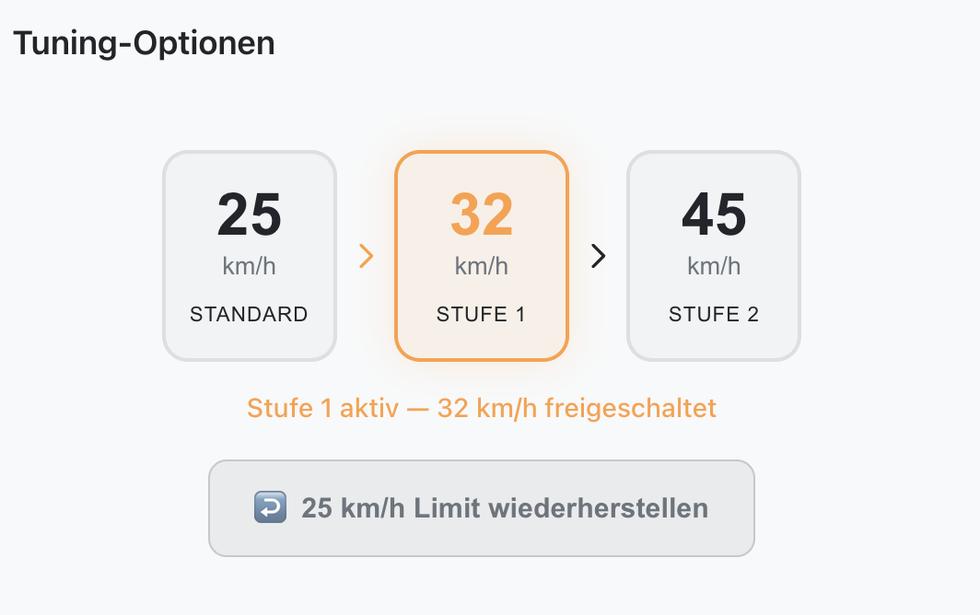
- Stage 1: support up to approx. 32 km/h
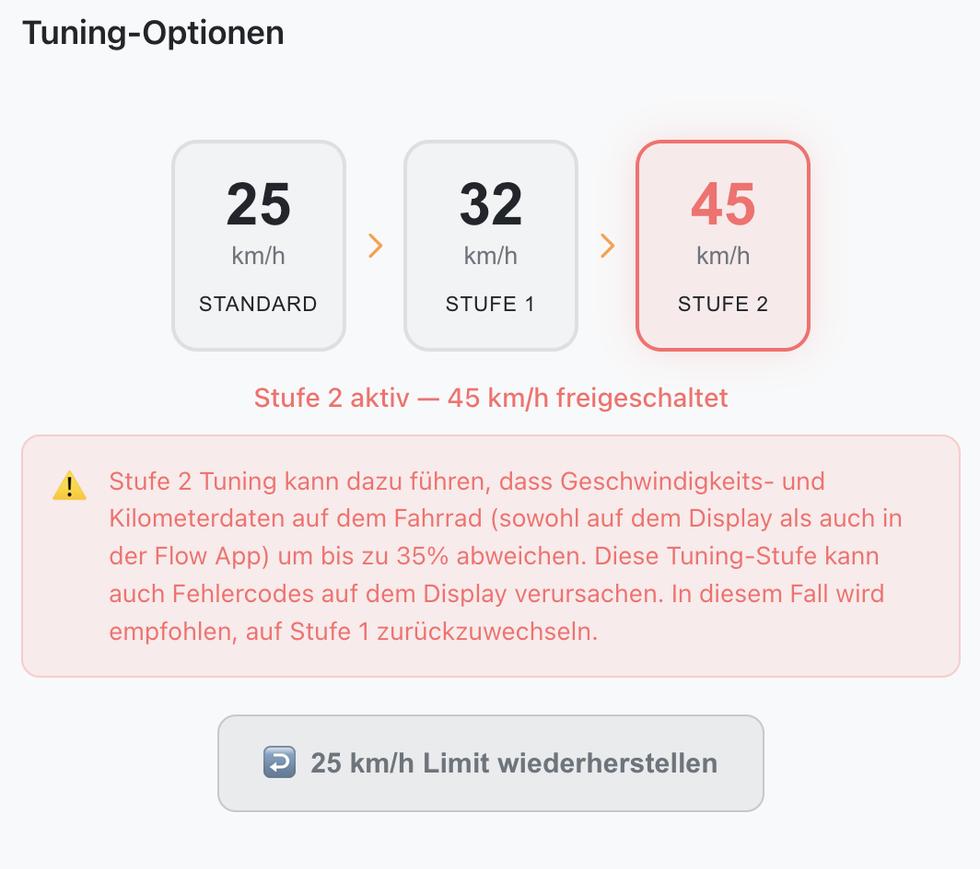
- Stage 2: support up to approx. 45 km/h, depending on setup
Stage 1 and Stage 2 should not be confused. They do not simply use the same display logic.
4. Stage 1: Approx. 32 km/h with Cleaner Display Behaviour
Stage 1 is the more moderate Smart System unlock level. It raises the support limit from the standard 25 km/h to approximately 32 km/h.
In this mode, the system can usually remain much closer to normal display behaviour. That means speed and mileage values are generally more consistent than in stronger tuning modes.
This makes Stage 1 attractive for riders who want a noticeable but relatively conservative increase in support speed while keeping display behaviour as clean as possible.
For Bosch Smart System bikes, the relevant product is the EBTsmart Unlock Key.
5. Stage 2: Approx. 45 km/h and Up to 35% Display Deviation
Stage 2 is different. It is designed for higher support speeds of up to approximately 45 km/h, depending on the bike, configuration and riding conditions.
In Stage 2, speed and mileage data on the bike and in the Bosch Flow App can deviate by up to approximately 35%. This does not mean that 35% is a fixed mathematical conversion from 32 km/h to 45 km/h. It is better understood as a possible display and mileage deviation caused by the system logic used at higher tuning levels.
At higher tuning levels, displayed speed and mileage values can deviate by up to approximately 35%. This can affect both the e-bike display and values shown in the Bosch Flow App.
In simple terms:
- Stage 1 raises support to approximately 32 km/h.
- Stage 2 can allow support up to approximately 45 km/h.
- The 35% value describes possible display and mileage deviation.
- It is not a fixed formula that converts 32 km/h into 45 km/h.
6. Does 35% Deviation Mean 32 km/h Becomes 45 km/h?
No. This is a common misunderstanding.
Mathematically, 35% above 32 km/h would be 43.2 km/h. However, the system does not work as a simple percentage calculator. The 35% value refers to possible deviation in displayed speed and mileage data, not to a fixed unlock formula.
The correct interpretation is:
- 32 km/h is the typical Stage 1 support level.
- 45 km/h is the stronger Stage 2 support level.
- Up to 35% deviation describes how much displayed values may differ from real values in Stage 2.
Therefore, Stage 2 should be explained as a stronger tuning mode with potentially less accurate display and mileage values.
7. What Happens to Mileage and Trip Distance?
When speed values are modified, distance values can also be affected. This is because the system calculates mileage based on the same speed and movement information.
Depending on the system and tuning level, the following values may no longer be fully accurate:
- daily trip distance
- total odometer value
- average speed
- ride tracking values
- statistics in the Bosch Flow App
This is especially relevant for Smart System Stage 2 and for classic BES2 systems where half-speed behaviour is present.
8. Can Stage 2 Cause Error Codes?
On some Bosch Smart System setups, stronger tuning modes can lead to warning messages or error codes. This is why Stage 2 should be used carefully and only with a compatible setup.
If error codes appear after using a stronger tuning level, switching back to the more moderate Stage 1 mode may be recommended.
If Stage 2 causes warnings or unstable behaviour, return to Stage 1. Stage 1 is usually the cleaner and more conservative option.
9. BES2 vs. Smart System: The Main Difference
The most important distinction is the Bosch system platform.
| Bosch System | Typical Display Behaviour After Tuning | Relevant Product |
|---|---|---|
| Bosch BES2 | Often approx. half of real speed | EBT Unlock Key |
| Bosch Smart System Stage 1 | Cleaner display behaviour, approx. 32 km/h support | EBTsmart Unlock Key |
| Bosch Smart System Stage 2 | Up to approx. 35% speed and mileage deviation possible | EBTsmart Unlock Key Switch |
10. How to Choose the Right Bosch Unlock Solution
Before buying a Bosch unlock solution, always identify the system correctly.
- If your bike uses Bosch Gen1, Gen2, Gen3 or classic Gen4 on BES2, check the EBT Unlock Key.
- If your bike uses Bosch Smart System and you want support up to approx. 32 km/h, check the EBTsmart Unlock Key.
- If your Bosch Smart System bike has a rim magnet and you want a stronger setup up to approx. 45 km/h, check the EBTsmart Unlock Key Switch.
If you are unsure whether your Bosch Gen4 bike is BES2 or Smart System, the charging port is a useful first indicator:
- Round charging port: usually Bosch BES2
- Square charging port: Bosch Smart System / BES3
You can also read our detailed guide: Bosch BES2 or Bosch BES3: Identify Your Bosch E-Bike .
11. Is Different Display Behaviour a Defect?
In most cases, no. Different display behaviour after tuning is usually a system-related effect, not a product defect.
It simply means that the system is operating outside its original factory support logic. Depending on the Bosch generation and tuning level, this can lead to modified display values.
The important thing is to understand the difference before choosing a tuning solution:
- BES2 systems often show half-speed values.
- Smart System Stage 1 is generally cleaner.
- Smart System Stage 2 can create larger display and mileage deviations.
12. Final Summary
Bosch display behaviour after tuning depends heavily on the system platform and the selected tuning level.
On Bosch BES2 systems, a half-speed display is common after unlocking. On Bosch Smart System bikes, Stage 1 usually offers cleaner behaviour up to approximately 32 km/h, while Stage 2 can unlock higher support levels but may cause speed and mileage values to deviate by up to approximately 35%.
This is why it is important to choose the correct product for your Bosch system and to understand the expected display behaviour before activation.
Related Bosch Unlock Pages
- EBT Unlock Key
- EBTsmart Unlock Key
- EBTsmart Unlock Key Switch
- Bosch Gen2 Tuning Without Chip
- Bosch Gen4 BES2 Tuning Without Software
- Bosch Gen4 BES3 Tuning Without Software
- Bosch Gen5 BES3 Tuning Without Software